A Driverless Tesla?

Tesla’s  Driverless Assisted Car

Following a software update that will soon be released, some Tesla owners will gain a co-pilot.

reverse

Although not yet driver-less, the software enhanced Tesla will:

  1. Self-park
  2. Change Lanes
  3. Use assisted steering to maintain speed, and distance from, other cars
  4. Warn the driver against drifting out of the lane

For more on this, and to view the Tesla Model S Auto-Steer test drive click here to continue to TechCrunch


Additional reading…

Cheers!

hɔuᴉnb

Is Print Media Dead? 

Who reads Condé Nast publications?

We all know that eReadership is on the rise. So who’s still flipping pages?
Scott Batemen (twitter@Disalmanacarian) asks and answers this question with this satirist infographic.

scott-bateman-venn-diagram

Happy Birthday, Mario!

Super Mario Bros turns 30 today! Type Super Mario Bros into a Google Search screen for celebratory easter egg. Continue reading to learn of our plucky plumbers origins

quincy harley jr's avatarQ's place

Happy Birthday, Mario!(July 9) 1981Nintendo released the arcade game Donkey Kong (pictured), which featured the debut of Mario, “one of the most famous characters in video game history”
-wikipedia’

He wasn’t the headliner; that honor would go to the orange, barrel throwing, ape on the top girder.

Nevertheless, his sheer pluck and determination, to say nothing of his hammer wielding hi-jumping hi-jinks, would see him through to get the girl (Pauline), movie deals, and several several successive video-game variations.

Proving once again that if you want to succeed, jump softly and carry a big hammer.

Way to go  Donkī Kongu!

(oh, you too Mario!)

now whatever happened to Pauline?

View original post

Windows Emoji Keyboard

In this, my last post honoring World Emoji Day (promise), I showcase the emojis available with Windows Touch Keyboard.

In addition to the new emojis in GMail, and the hidden emojis in Skype, did you know that you can access emojis using Windows’ on-screen keyboard?

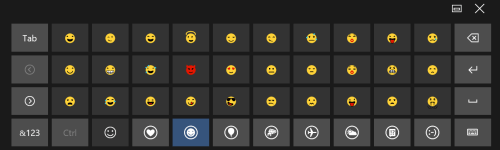
The on-screen keyboard (aka, Touch Keyboard), available to Windows desktop since versions 8, includes emoji characters similar to those used on iPhones and iPads.

emoji keyboard2

Accessing Emojis Using Windows Touch Keyboard

  1. In Desktop mode, RIGHT+CLICK on the taskbar, point to Toolbars and select Touch Keyboard. The Touch Keyboard icon TouchKeyboard Icon. now appears on the Taskbar.
  2. Click (or tap, if using a tablet) the Touch Keyboard icon to display an onscreen keyboard.
  3. Click the emoji key Emoji button_66 to display emojis.
    emojiKeyboard
  4. Click the desired emoji. That emoji is inserted at the current cursor position.

Press ‘X‘ to close the Touch Keyboard when done.

Cheers!

Additional reading:

Skype’s Hidden Emojis

This month we celebrate World Emoji Day (seriously, it’s a thing) . Last post I showcased GMail’s new emojis. Now I highlight Skype‘s emoji offerings.

Disney/Pixar Emoji’s

What better way to share you emotions than with the eponymous animated character from the movie Inside Out

PixarSkype emojis

Hidden Skype Emoji’s (shhhh…)

Although these emojis don’t appear on the menu they are available by entering the secret code (in parentheses)

For example, type (gift) into the SMS field (include the parentheses) and press the Send Send

gift_80_anim_gif

Voila, an animated present.

Here are few others (for the full list visit Skype’s FAQ support page)

gottarun_80_anim_gif poolparty_80_anim_gif stop_80_anim_gif holdon_80_anim_gif confidential_80_anim_gif
(gottarun) (poolparty) (stop) (holdon) (confidential)

Cheers!

Additional reading:

April Fools Easter Eggs

Traditionally, today is a great day for the creative departments of some otherwise staid websites to let their hair down by way of an Internet prank.

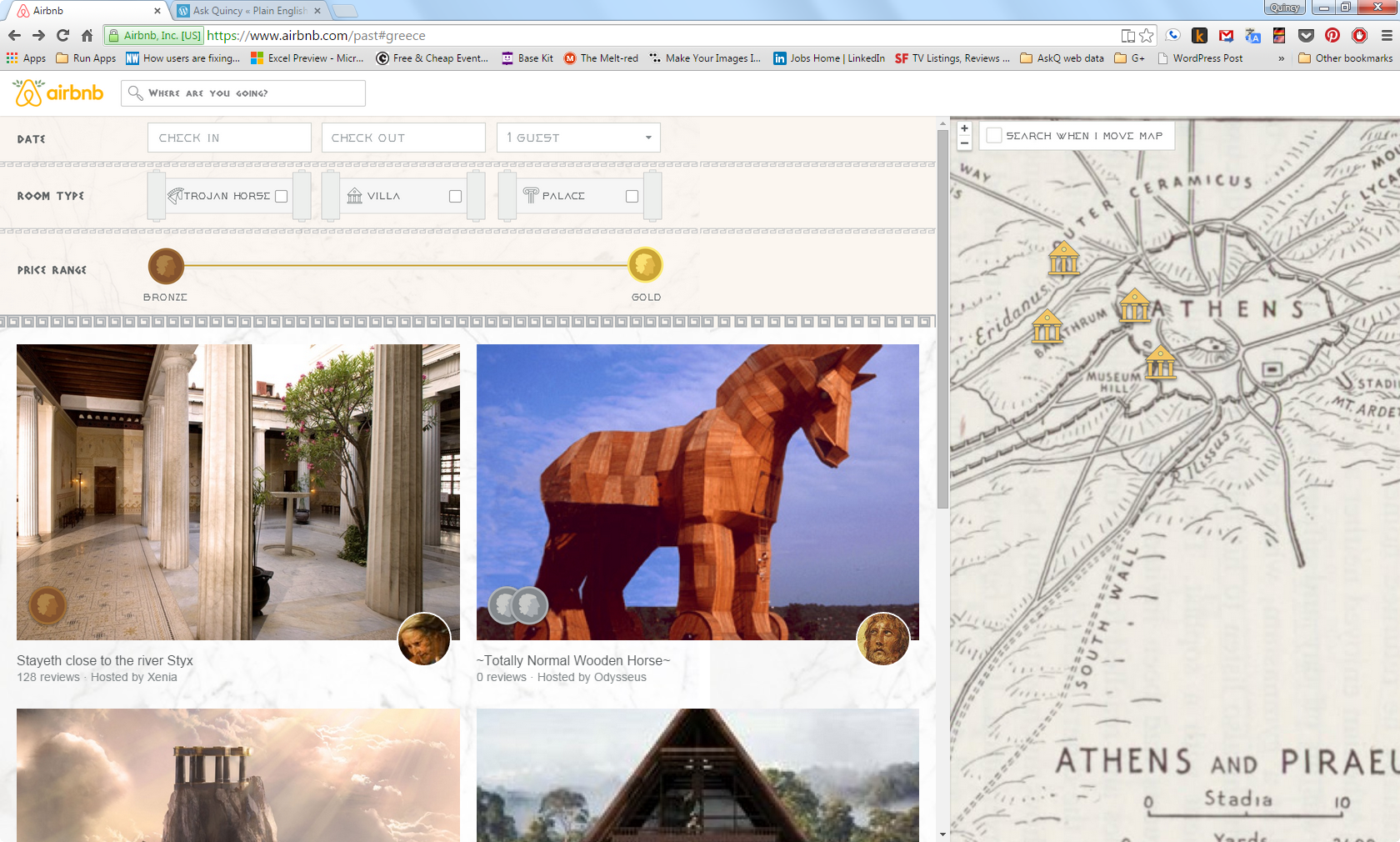
Continuing with the Easter egg theme (and celebrate the Greeks, who, allegorically, dropped the original Easter egg on an unsuspecting city of Troy), I present Air BnB’s Bronze Era Rentals page. Click fast; traditionally these pages don’t live long.

airBnB

Also, for an infopic on some other classic hoaxes (e.g., Burger King’s left-handed sandwich wrapper) follow this link to the Quartz article.

Google Maps Easter Egg

Continuing the Easter Egg celebration from my previous post,

G-maps

This one comes from Google Maps. Add a playable Pac-Man to street view.

How to play Pac-Man on Google Maps

  1. Open Google Maps on your computer.
  2. Navigate to a place on the map where you want to start your game.
  3. Click the PAC-MAN pin on the map . If no pin is visible, in the bottom left, click PAC-MAN.

Your map will change to a game board, and you can start playing.


Cheers!

Additional Reading