This week I had an opportunity to ride in a Tesla. The driver commented on how it was the first car to make him feel like an 18 year old behind the wheel. Here's another example of how Tesla is bringing the fun.
Spring is (finally) here and in tribute to the season I present an early Easter egg, courtesy of Tesla.
Disclaimer: The author makes no claim that your model will be watertight, nor that it will be equipped with SONAR, subsurface-to-air missiles or Barbara Bach.
Tesla Model S 007 Easter Egg
Using the Dashboard touchpad, access the Control Menu. The vehicle controls for the Model S will display.
Hold the button down for 3 seconds. A Please Enter Access Code prompt will appear.
Enter 007 and tap OK.
Re-access the Controls Menu and tap the Suspension Tab. The Lotus Espirit displays (from the Bond classic The Spy Who Loved Me).
Lotus Espirit with Submersible settings displayed
Set Depth option to 20,000 leagues (thanks, Jules Verne) and enjoy.
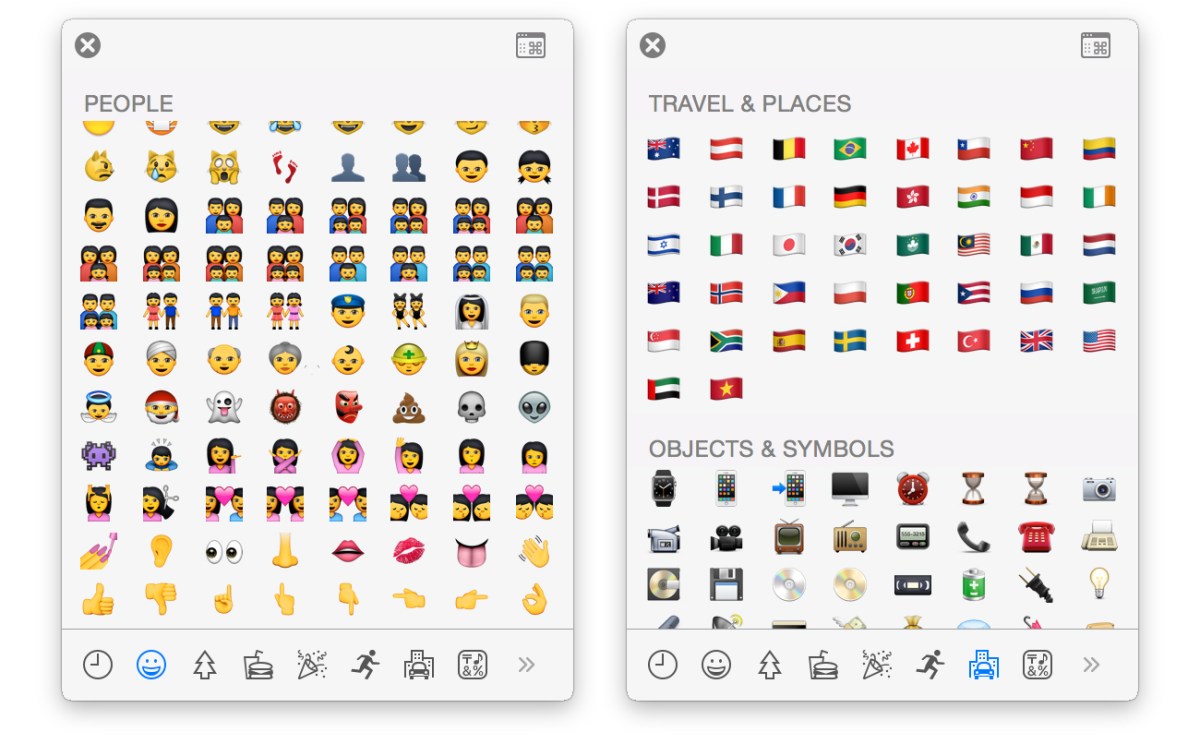
Apple’s expanded Emoji’s set is about to become more diverse. The new build will include Emojipersons-of-color and a expanded national flags set (including Switzerland). Wunderbar!
Use RSS Feeds and have news delivered right to your Outlook mailbox.
If you’re still getting your news in paper-based formats you probably prefer it delivered right to your doorstep. Electronically speaking, you can get that same at-home delivery service of your preferred e-News by using RSS Feeds. RSS (Real Simple Subscription) feeds are easy to create and afford you the luxury of not having to step out of your Outlook mailbox to scan the headlines of the day.
Subscribing to an RSS feed using Outlook
Locate the RSS address of your favorite news site. This can often be found by typing ‘RSS’ in the search field of that site’s home or landing page.
RIGHT + CLICK on the RSS Feed you wish to subscribe to and select appropriate copy command (e.g., Internet Explorer users select Copy Shortcut. Chrome users select Copy Hyperlink).
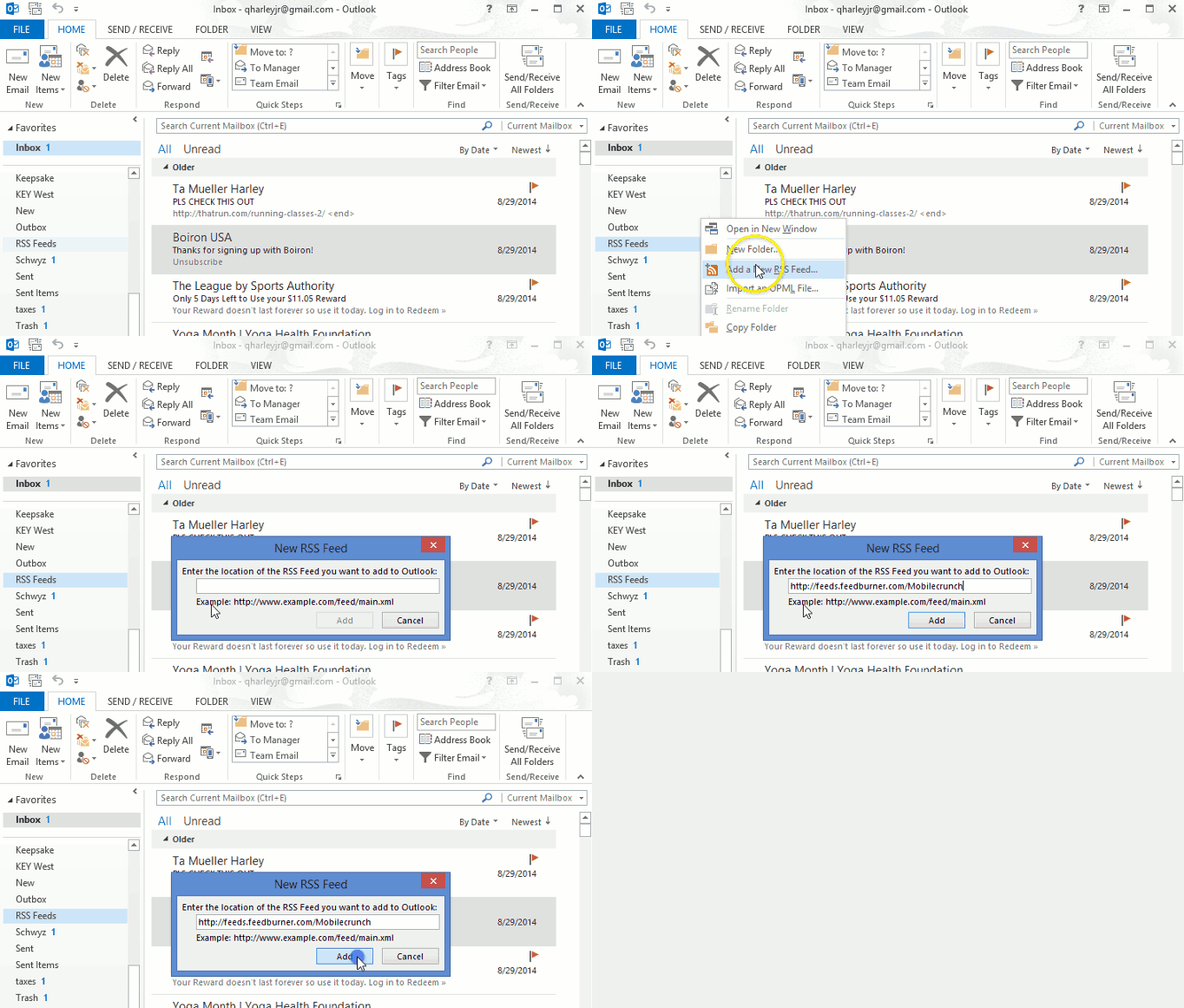
In the Outlook Navigation pane, RIGHT + CLICK on the RSS Feeds folder, and select Add New RSS Feed. The New RSS Feed dialog will appear.
Adding to the RSS Feed folder
In the provided field press CTRL + V to paste the previously copied link, then press Add. A Microsoft Outlook: Add this RSS Feed to Outlook dialog will appear.
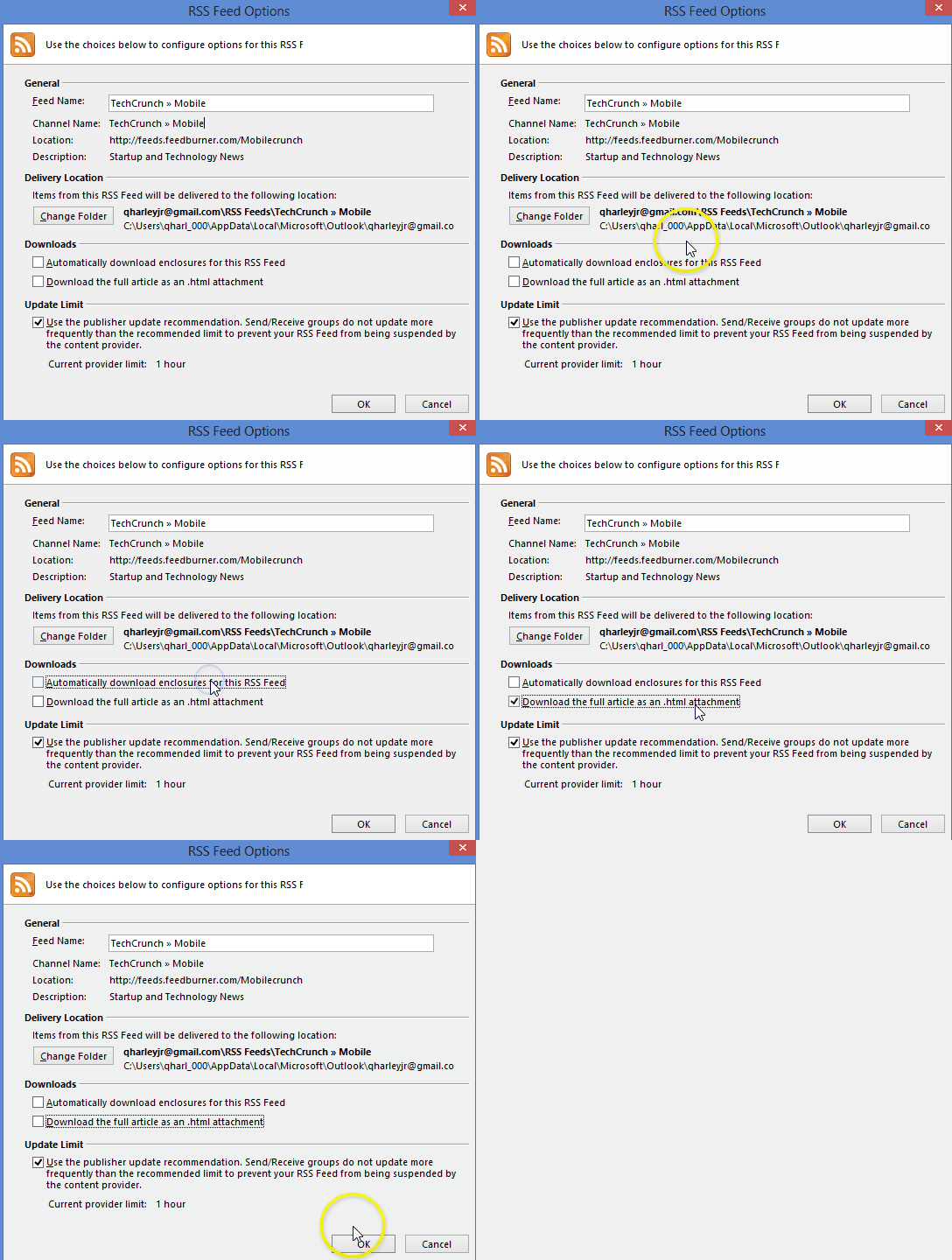
Note: Optionally, you can modify options (i.e., rename feed, download full article, etc) by pressing the Advanced button.
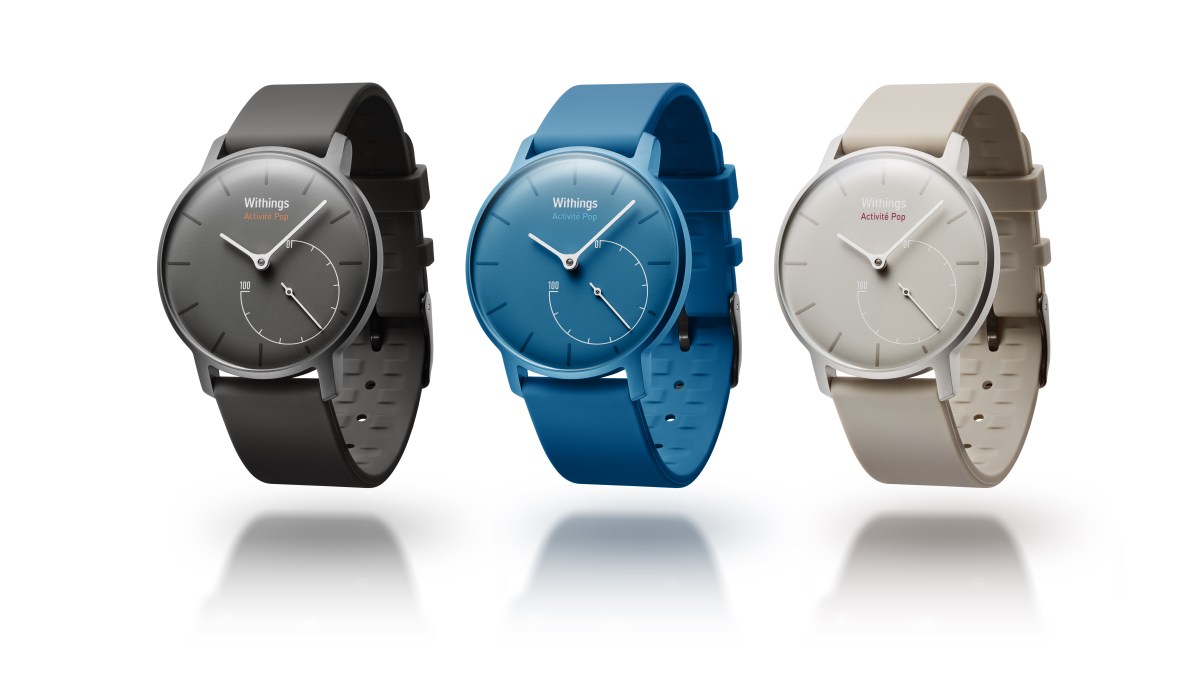
In an early post I waxed poetically (and enviably) about the new Activité watch; the fitness-activity tracker that looks like a real (i.e., pricey, analog) watch. With its French design, Swiss craftsmanship and $450 price tag, it quickly went to my WANT IT / CAN’T HAVE IT list. Now Withings, the company that produced the original, has created a mass consumer version, named Activité Pop.
For more on this yummy and more affordable variant, read on.
Worried you’re not sufficiently hydrating during the day? Any idea how much sugar is in that juice drink?
The Vessyl drinking cup (now accepting pre-orders) can detect and log your fluid intake. How smart is it? In addition to H2O this chalice can apparently identify various beverages by name (e.g., Crush soda, Vitamin Water, Tropicana O.J.) and even varieties of Gatorade flavors. The on-cup display shows beverage amount and components (i.e., sugar, caffeine, etc.) and the data is sent to your activity tracking device.
Although I am not sold on the need for this level of monitoring I do appreciate the science behind it. Among the wave of activity trackers flooding our internet shelves this will certainly appeal to some.
Great write up on how Pacer, with arguments for and against removing the pay per use fee. Did you know that the DOJ is the biggest user of the PACER, and that DOJ is publically funded that comes out of the taxpayers backpocket?
For more on keeping/dropping/revising the pay structure, read on.


. If no pin is visible, in the bottom left, click PAC-MAN.


 button down for 3 seconds. A Please Enter Access Code prompt will appear.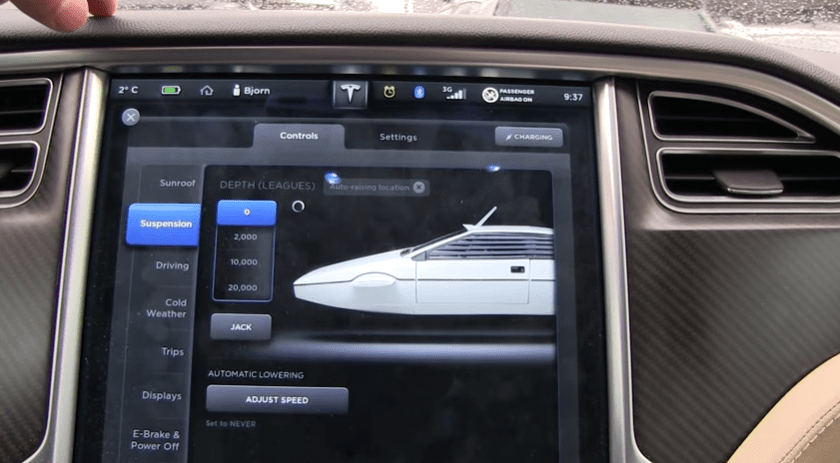







 Ask Quincy