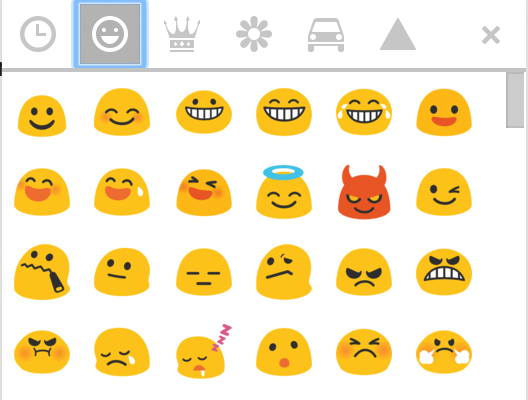
Skype’s Hidden Emojis

This month we celebrate World Emoji Day (seriously, it’s a thing) . Last post I showcased GMail’s new emojis. Now I highlight Skype‘s emoji offerings.

Disney/Pixar Emoji’s

What better way to share you emotions than with the eponymous animated character from the movie Inside Out

PixarSkype emojis

Hidden Skype Emoji’s (shhhh…)

Although these emojis don’t appear on the menu they are available by entering the secret code (in parentheses)

For example, type (gift) into the SMS field (include the parentheses) and press the Send Send

gift_80_anim_gif

Voila, an animated present.

Here are few others (for the full list visit Skype’s FAQ support page)

gottarun_80_anim_gif poolparty_80_anim_gif stop_80_anim_gif holdon_80_anim_gif confidential_80_anim_gif
(gottarun) (poolparty) (stop) (holdon) (confidential)

Cheers!

Additional reading:

Fitting rhinos with high-tech body cams could save them from poachers

Earlier it was Penguins; now it’s Rhinos. Read why the Rhinohorn-cam is a good idea.

Gmail Gets Hundreds Of New Themes And Emoji

Just what we all need…more emojis!

The “dreams” of Google’s AI are equal parts amazing and disturbing

“Do Androids Dream of Electric Sheep?” Philip K. Dick asked that question Ridley Scott’s “Blade Runner” did little to answer that question, but now perhaps Google has. When asked to create similar images to the ones it had cataloged, the results were amazing and provided insight into the ‘electric dreams of sheep.’

Excel Text 4 of 4: Using SUBSTITUTE to Parse Text

Excel is great at splitting text across multiple columns. For basic text separation (e.g. putting first and last name in separate columns) the LEFT and RIGHT functions work fine. But these functions fall short when applied to data that follow an inconsistent pattern. In the below example, the errant inclusion of a middle name wrecks havoc with our formula results.

Text4Substitute(2)

Using the SUBSTITUTE function one can identify and replace the last space in the cell with a uniquely identifying character (e.g., an underscore). This character can then be used as a delimiter to separate Lastname from full name.

ScreenShot-2015-Jun-03-126-AM

SUBSTITUTE: replace character(s) within a cell with specified character(s)

= SUBSTITUTE ( text, old text, new text, instance)
Note, instance is optional; when omitted, every occurrence of old text is replaced with the new.

Examples:

  • =SUBSTITUTE(“Mad Max”, a,i) returns Mid Mix
  • =SUBSTITUTE(“mississippi, i,“”) returns msssspp
  • =SUBSTITUTE(“banana”, a,Q”,2) returns banQna
LEN Counts the number of characters =LEN(antidisestablishmentarianism) returns 28

Click here for a 5 minute tutorial:

Cheers!

hɔuᴉnb

Additional reading:

Excel Text 3 of 4: Using SEARCH, MID & CELL to Display Sheet Name

Linking the worksheet name to a cell in the spreadsheet is easily accomplished using Excel’s CELL function. Once joined by the MID and SEARCH functions, you need only change the sheet’s name and the linked cell will update to match.

Click to view at full resolution

Displaying the Sheet Name in a Cell

Type (or copy and paste) the following formula into a cell

=MID(CELL(“filename”),SEARCH(“]”,CELL(“filename”))+1,100)

Note

  • The file must be saved; the CELL function will not return a value on an unsaved file.
  • Press F9 (if necessary) to update the cell after a renaming a sheet.
MID returns a portion of text based on starting position and number of characters. =MID(“Task Quickly”,2,5) returns “ask Q”; starting with the 2nd char, 5 charachters long.
CELL returns info about the cell, file or sheet. =CELL(“filename”) returns the path, filename and sheet.
E.g., C:\[Balance.xlsx]Sheet1
SEARCH returns  the number where the first occurrence of the search text is found, regardless of case.* =SEARCH(“A”,”Quantity”) returns 3;  ‘A’ is the 3rd character.

*The FIND function works similar to SEARCH but is case-specific.

To learn more about each function and understand why this works, watch this ~2½ minute video:

Cheers!

hɔuᴉnb

Additional reading:

Amazon wants an army of drones to chase you down to get you your package

Amazon’s drones will find you when you’re not at home. If this patent comes to fruition I can re-enact Hitchcock’s “North by Northwest” airplane scene, Millennial-style!