Dude, Where’s My Car? Parking with Google Maps

Although I’ve not had the cinematic misfortune to see Ashton Kutcher utter this titular question, I have, occasionally, misplaced my car.

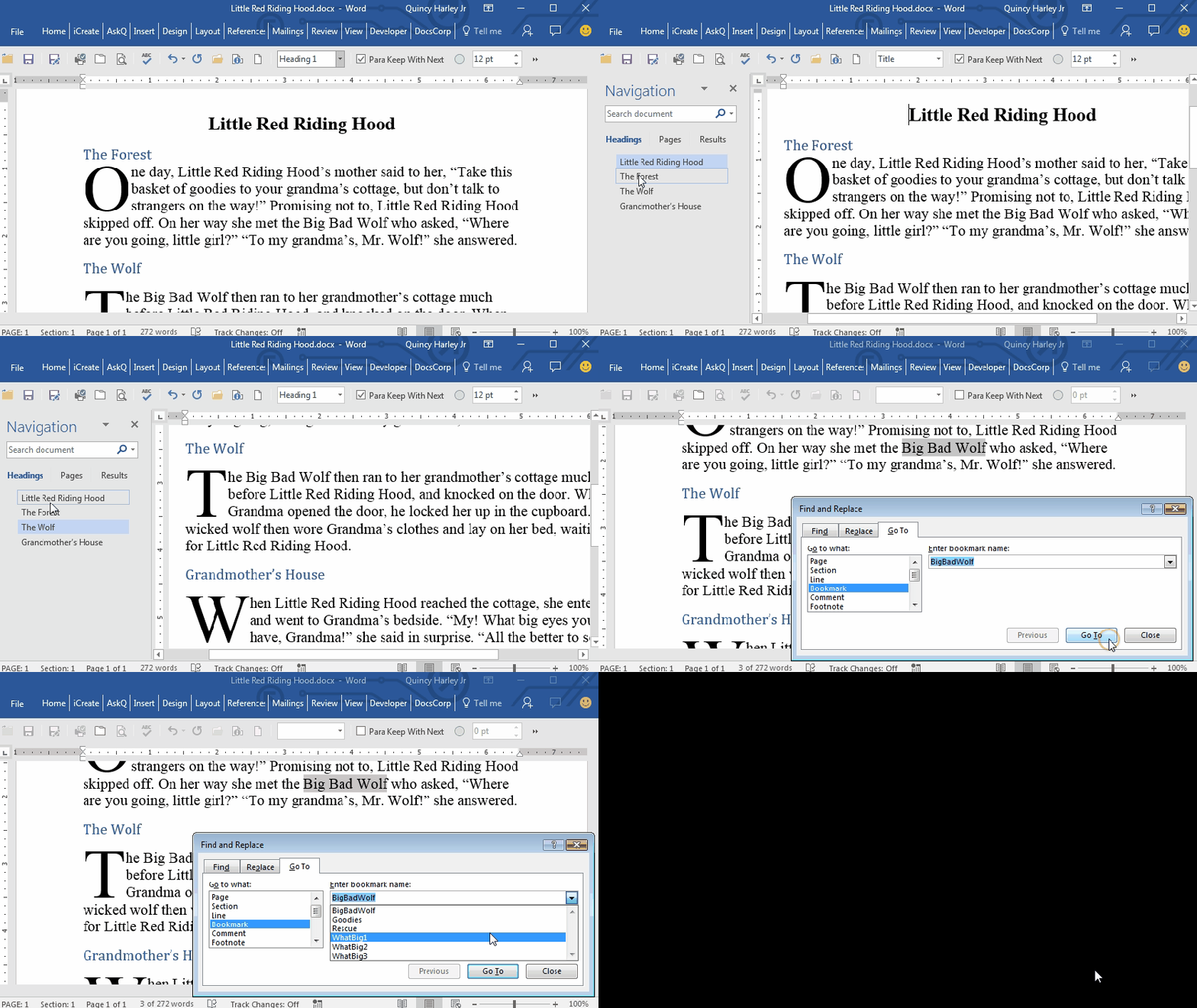
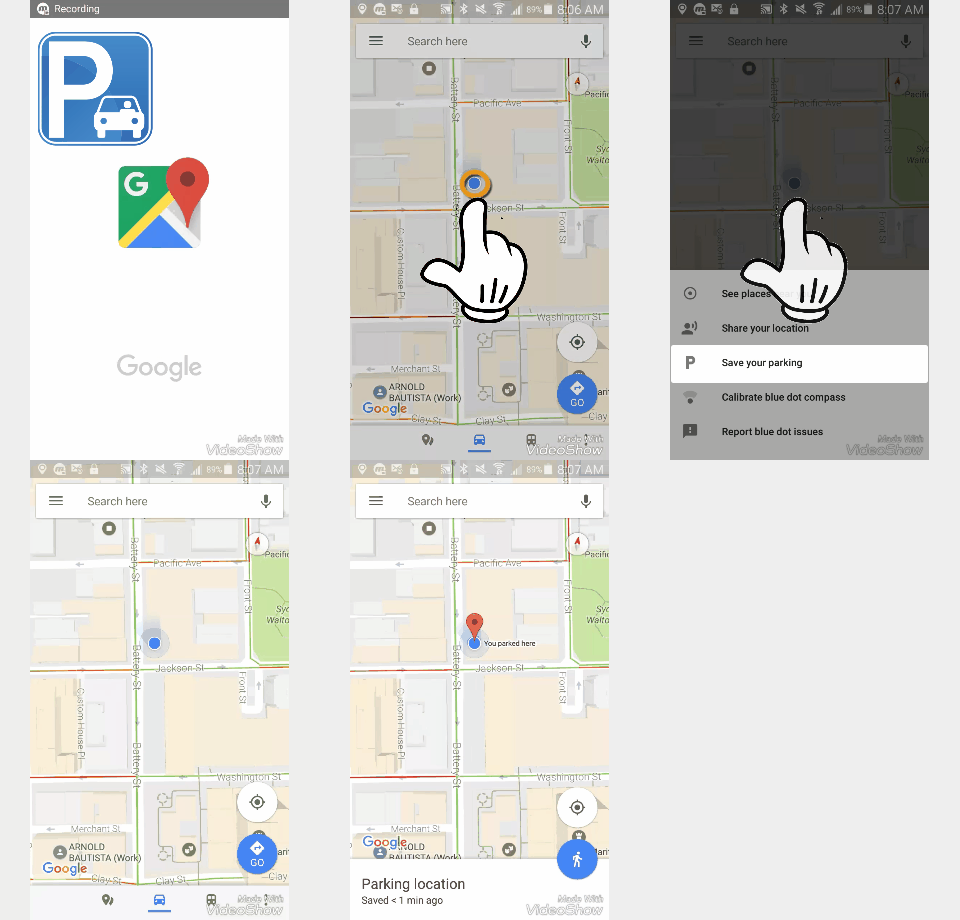
But no more; with the latest update to Google Maps  you can record where you parked your car, and when.

Click image for video.

To Record Your Parking Spot

  1. Open Google Maps.
  2. Press the Blue dot . A menu will appear.
  3. Select Save your parking.

Notifications remind you when it’s time to feed the meter, and a map directs you back to your vehicle.

Cheers!

hɔuᴉnb

Related posts:

Comments and questions are always welcome!
It Must Be April 😉

Google Gnome

https://youtu.be/vNOllWX-2aE

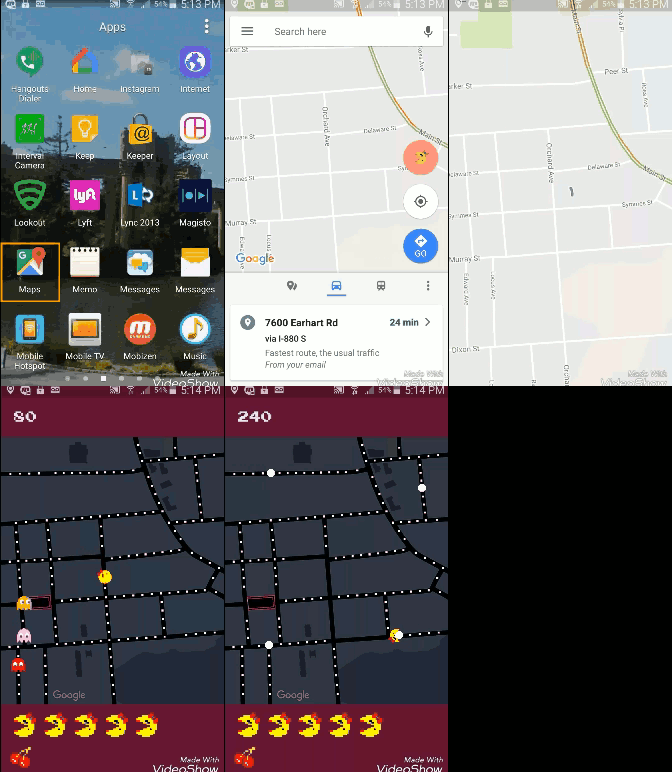
Google Maps – Ms Pac-man

MsPac-man Google Maps.gif


Coca-Cola Helium

All the taste of Coke, all the fun of inhaling a helium balloon and speaking with a squeaky voice.

Coke Helium

Virgin Train Ticket Tattoos

Well, now, says Virgin Trains, customers can get their train ticket permanently tattooed on their body, thanks to the magic of Tick-Ink.


Amazon Introduces Petlexia:


Burger King Toothpaste

To keep the tasty flavours lasting longer, BURGER KING® has created WHOPPER TOOTHPASTE .

Subway Ice Sandwich Flavored Ice Cream

Oh our aching sides
Oh our aching sides CREDIT: SUBWAY

And Subway:  “On 1 April 2017, the SUBWAY® brand is launching their first ever ice cream range… inspired by the nation’s most love Subs. The savoury SUBZero range is available in these three delicious flavours for a limited time only:

  • Meatball Marinara
  • Chicken Tikka
  • Tuna

Groupon’s Gin-sauna


And for a look back at previous tomfoolery:


Uber Oops; Self Driving Car Crashes

More bad news for Uber: one of the ride-hailing giant’s self-driving Volvo SUVs has been involved in a crash in Arizona — apparently leaving the vehicle flipped onto its side, and with damage to at least two other human-driven cars in the vicinity.

Read More via TechCrunch

Use Google to Find Your Phone

Honey, have you seen my phone?

You don’t need a tracking device to locate your Android phone. Just log into your Google Play Store account and access the Android Manager.

You can have your phone send out a Here I am! ring, or lock the device with an “If found, please return..” message;

…to reunite you with your lost loved one.

To Locate your Android Phone

  1. Go to https://play.google.com.
    Note: you will need to be logged into your Google account.
  2. Click the settings googlesettingsgearicon and select Android Device Manager.
    Your phone’s location location-icon-png-14will appear highlighted.
  3. Select preferred option(s):
    a. Click Ring to have your phone ring.
    b. Enable and Select Lock to secure your phone.
    c. Click Erase to wipe your personal data.

Cheers!

hɔuᴉnb

Related posts:

Comments and questions are always welcome!

UPS Piloting Drone Delivery Service

UPS Drone.gif

Brown delivers..by air!

Traffic, road work and accidents all complicate the UPS delivery schedule, but none of these land-based impediments should deter a drone, right?

UPS announced today that it has successfully delivered a package in Florida using an autonomous drone that launched from one of its delivery trucks. The test is the first step in what the company hopes could one day become a more routine use of drones for package delivery.

UPS is betting the driver-drone pairing will double their efficiency. The driver can complete one delivery and dispatch the drone to another, later rendezvousing at some point along the return route.

yeah, but how will the drone look in brown shorts?

Related Posts:

Heading and Bookmark Shortcuts

In addition to making it easy to generate PDF bookmarks from a Word document (click link to see  how)Headings and Bookmarks afford your reviewers an easy method of navigation.

headings-and-bookmarks

Here are shortcuts to Applying Heading Styles and Creating Bookmarks.

To quickly apply Heading styles

  1. Select the item by placing insertion point anywhere on that line of text (Heading styles will auto-apply to the entire paragraph).
  2. Hold CTRL and SHIFT down and press 1, 2, or 3 to apply that corresponding outline level (e.g., CTRL+SHIFT+2 applies Heading 2 style).

Note, only the first 3 Heading styles have shortcut keystrokes pre-assigned to them. Alternatively, you can also Press CTRL + SHIFT + S (Apply Style shortcut) then select or enter the style name.

To create Bookmarks

  1. Select the text to bookmark.
    Note: Unlike Heading Styles, you must select all text to be included in the bookmark.
  2. Press CTRL + SHIFT + F5. The Bookmark dialog appears.
  3. Enter your bookmark name:
    -name can contain only letters and/or numbers
    -name cannot begin with a number
  4. Click Add.

Note: If you use the same name as an existing bookmark the original will be overwriten without warning.

Cheers!

hɔuᴉnb

Related posts:

Comments and questions are always welcome!

Aston Martin’s Self-driving Laconda, LM-RB 001


Aston Martin unveiled its entry into self-autonomous vehicles with the AM-RB 001

Editorial note: were I working for RD it would’ve been designated AM JB 007 for reasons obvious to every Bond fan.

Assuming you’re willing to give up the wheel on this sleek beast, this wonder will boast all the self-automation features (car-avoidance, self-park, lane change) features that we will eventually all grow to know, love and expect of our cars. In addition AM is placing a focus on cyber-security; likely in response to reports we seen of car systems being compromised.

Which threat is greater: car-jacking or car-hacking?

Either way, the model, which debuted this week at the Toronto Car show, isn’t available yet, so we’ve time to start saving our pennies and pounds.

Click here to visit Aston Martin launch site

Also check out: