During the next series of posts I will demonstrate some commonly used Text functions. In the illustrated example we populate a CustomerCode column by combining
the first letter of the first name,
the first 4 letters of the last name, and
the last 4 digits of the phone number
=LEFT
Returns the leftmost character(s) of a cell, as specified by the optional Num_chars argument.
click image to view at full resolution
Using the LEFT function to copy the leftmost characters of a cell
Select cell to display the result.
On the Formulas tab, in the Function Library group, click Text drop-down and select LEFT.
In Text field select or type cell containing text.
In the Num_chars field enter the number of characters to copy. When left blank the result is only the leftmost character.
Click OK.
Concatenate using ‘&’
Use the Ampersand (&) to concatenate (combine) text. For example, with “North” in A1 and “West” in B1, the formula =A1&B1 returns “NorthWest”
=RIGHT
Returns the rightmost character(s) of a cell, as specified by the optional Num_chars argument.
Using the RIGHT function to copy rightmost character(s) of a cell
Select cell to display the result.
On the Formulas tab, in the Function Library group, click Text drop-down and select RIGHT.
In Text field select or type cell containing text.
In the Num_chars field enter number of characters to copy. When left blank the result is only the rightmost character.
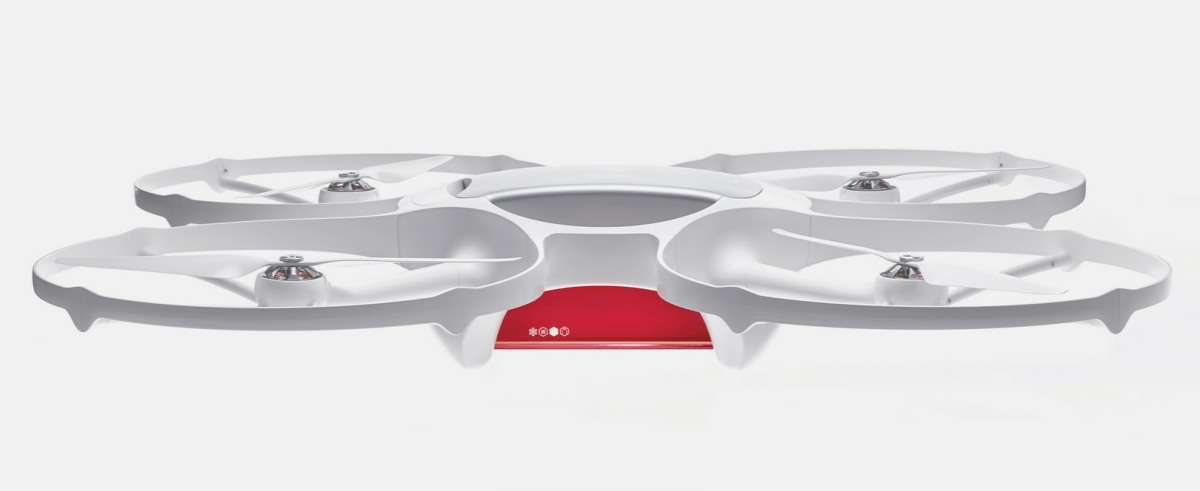
Drone delivery service, although stalled in the US, is making headway worldwide. Matternet, having tested their delivery drones in remote areas within Bhutan and Haiti, will begin testing with the Swiss Post
Traditionally, today is a great day for the creative departments of some otherwise staid websites to let their hair down by way of an Internet prank.
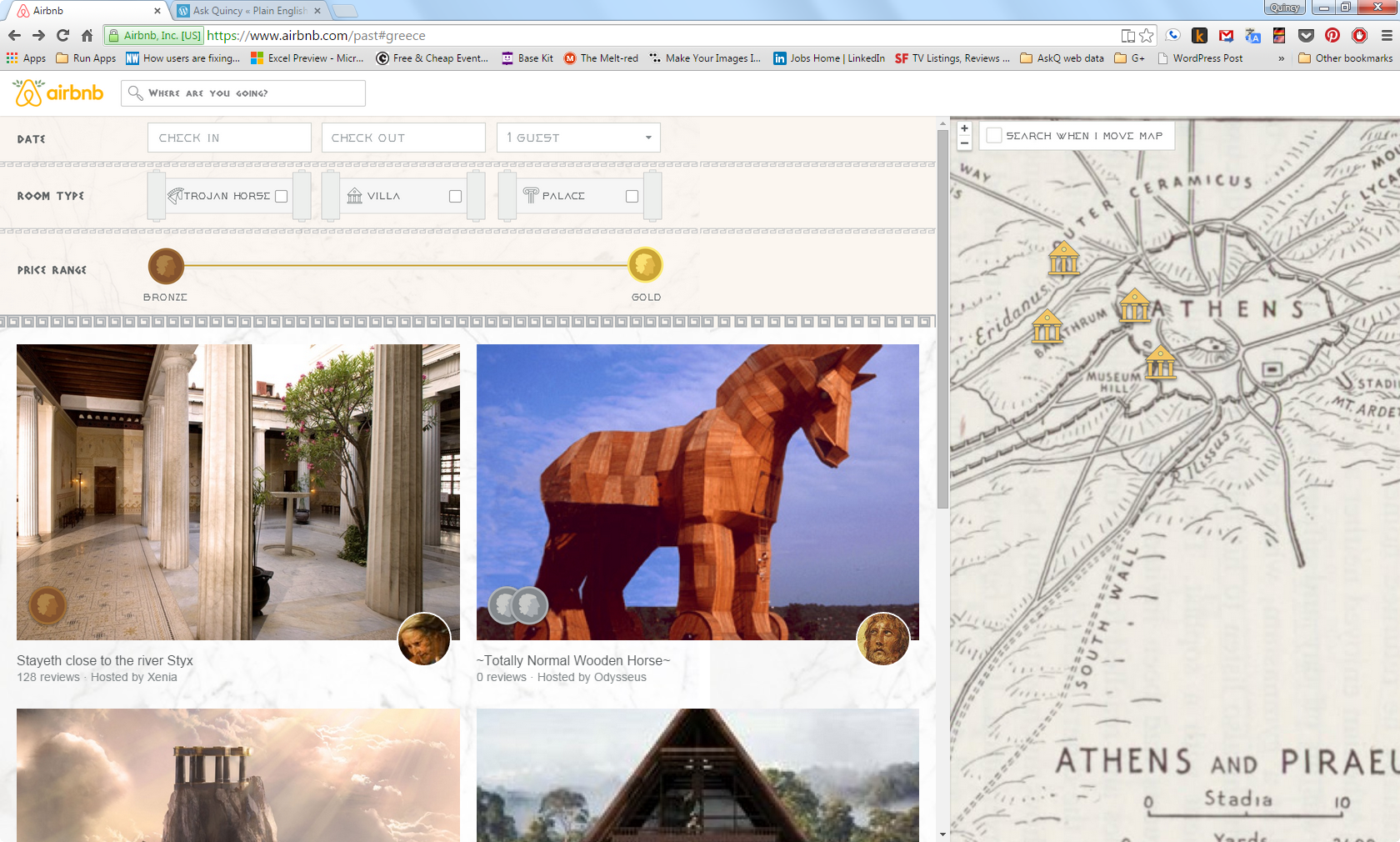
Continuing with the Easter egg theme (and celebrate the Greeks, who, allegorically, dropped the original Easter egg on an unsuspecting city of Troy),I present Air BnB’s Bronze Era Rentals page. Click fast; traditionally these pages don’t live long.
Also, for an infopic on some other classic hoaxes (e.g., Burger King’s left-handed sandwich wrapper) follow this link to the Quartz article.
This week I had an opportunity to ride in a Tesla. The driver commented on how it was the first car to make him feel like an 18 year old behind the wheel. Here's another example of how Tesla is bringing the fun.
Spring is (finally) here and in tribute to the season I present an early Easter egg, courtesy of Tesla.
Disclaimer: The author makes no claim that your model will be watertight, nor that it will be equipped with SONAR, subsurface-to-air missiles or Barbara Bach.
Tesla Model S 007 Easter Egg
Using the Dashboard touchpad, access the Control Menu. The vehicle controls for the Model S will display.
Hold the button down for 3 seconds. A Please Enter Access Code prompt will appear.
Enter 007 and tap OK.
Re-access the Controls Menu and tap the Suspension Tab. The Lotus Espirit displays (from the Bond classic The Spy Who Loved Me).
Lotus Espirit with Submersible settings displayed
Set Depth option to 20,000 leagues (thanks, Jules Verne) and enjoy.



 , select the text to bookmark.


 . If no pin is visible, in the bottom left, click PAC-MAN.


 button down for 3 seconds. A Please Enter Access Code prompt will appear.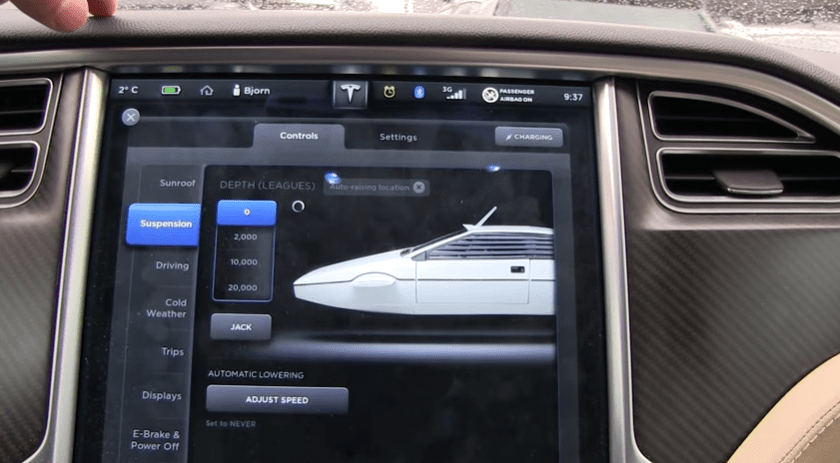
 Ask Quincy